




How to Choose the Best Teams Headset for Your Needs?

Choosing the best teams headset can significantly enhance your communication experience. While many models promise superior sound quality, it is essential to identify what truly meets your needs. Consider factors like comfort, sound clarity, and durability. A well-chosen headset can improve focus during meetings and minimize background noise.

Many users overlook the importance of comfort. A headset that doesn’t fit well can lead to fatigue during long calls. Different types provide distinct advantages. Some have noise cancellation, while others focus on call clarity. Research and genuine user feedback can guide your decision-making.

Reflecting on personal usage experiences can reveal insights. What worked for you in the past? What aspects were underwhelming? Identifying these areas can lead to a better choice. Take the time to explore different options available. Ultimately, a suitable teams headset enhances collaboration and professional relationships. Make an informed selection to elevate your work experience.

How to Choose the Best Teams Headset for Your Needs?

Understanding Your Communication Needs in a Team Environment

In a team environment, effective communication is crucial. Understanding your specific communication needs can significantly improve both productivity and collaboration. Consider whether your team primarily communicates through voice calls, video chats, or instant messaging. Each mode has different headset requirements.

When selecting a headset, assess your work environment. If you are frequently in a noisy setting, noise-canceling features become essential. They help to minimize distractions and enhance focus. On the other hand, if your work involves constant interaction with colleagues, a headset with a good microphone quality is vital. Clear sound ensures that messages are understood without repeated clarification.

Evaluate comfort as well. Long hours of use can lead to discomfort with the wrong headset. Look for headsets that offer adjustable ear cups and lightweight designs. You may spend more time adjusting your headset than communicating if it's uncomfortable. Don't overlook battery life either. Frequent charging can interrupt your workflow.

Lastly, think about the compatibility with your devices. A headset should seamlessly connect to your phone, computer, or other necessary tools. Consider these factors carefully in your choice. Each aspect contributes to how well you can communicate and collaborate in a team setting.

Assessing Audio Quality and Comfort in Headsets

Choosing the right teams headset is crucial. Audio quality and comfort are two of the most important factors to consider. Great sound can enhance your experience during calls and meetings. Clear audio helps you understand every word. If the sound is poor, you may miss key points. It's essential to find a headset that delivers balanced bass, crisp highs, and clear mid-range sound.

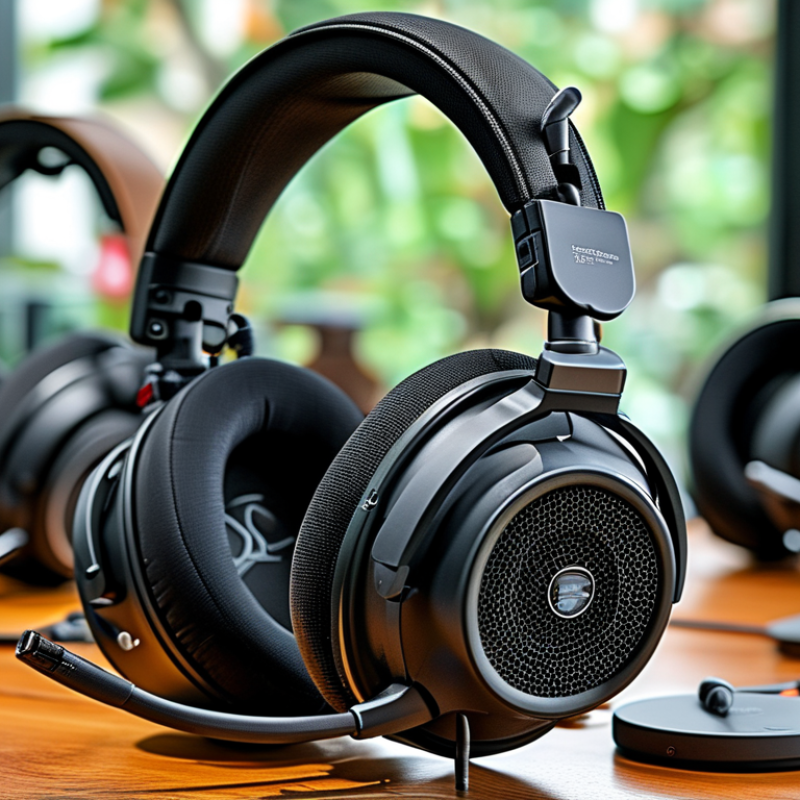
Comfort goes hand in hand with audio quality. If a headset feels uncomfortable, it won't be used for long. Look for features like adjustable headbands and cushioned ear cups. Some headsets can feel heavy after extended use. It's worth testing how they fit before making a decision. Don’t hesitate to try several options around your ears.

Another aspect to reflect on is the way you use your headset daily. Some people prefer over-ear designs, while others may choose on-ear models. If you work in a noisy environment, noise-cancellation can be vital. However, not everyone enjoys isolation. Finding a balance between immersion and awareness is key. Personal preferences will guide you to the right choice, but be sure to assess your needs diligently.

Comparing Wired vs. Wireless Teams Headsets

When selecting a headset for Teams, both wired and wireless options have distinct advantages and drawbacks. Wired headsets provide a stable connection, ensuring you won't experience signal drops mid-call. They often have better audio quality and lower latency, making them ideal for calls where clarity is paramount. However, the cords can become cumbersome, especially in a dynamic work environment.

Wireless headsets offer unmatched freedom of movement. You can walk around while on a call or easily multitask without being tethered to your computer. However, battery life is a critical consideration. A dead battery can interrupt your workflow. Additionally, ensure the wireless model has a strong connection range to avoid interruptions.

When deciding on a headset, consider your workspace and habits. If you mostly sit at a desk, a wired headset may be more practical. For those frequently on the move, wireless is beneficial. Take time to try both types before deciding. Listen for comfort, sound quality, and connection reliability. Your needs may shift over time, so remain open to reevaluating your choice.

Evaluating Key Features for Collaboration Tools

Choosing the right headset for team collaboration can be challenging. Start by considering sound quality. Clear audio is essential for effective communication. Look for headsets that offer good noise cancellation. This feature helps in blocking out distractions. Comfortable ear padding is also vital, especially for long meetings. A lightweight design can make a significant difference.

Next, examine connectivity options. Many headsets now feature wireless capabilities. This allows for more freedom of movement during discussions. However, ensure the battery life is sufficient for your typical workday. Some headsets may need frequent charging. That could interrupt important calls.

Lastly, consider additional features like microphones. A good mic reduces background noise, enhancing clarity. Some headsets come with integrated controls for volume and mute functions. These can be handy during calls. Look for headsets with adjustable fit, as comfort can vary from person to person. It's essential to test options to find what feels right for extended use.

Budget Considerations When Choosing a Teams Headset

When selecting a headset for Teams, budget is a crucial factor. According to a report from Grand View Research, the global headset market is expected to reach $40 billion by 2027. This indicates a growing emphasis on quality audio solutions. With this growth, there are options across various price ranges. Finding a headset that suits your needs often means determining your budget early on.

Affordable headsets can be suitable for casual use or smaller teams. However, investing more can yield better sound quality. Industry studies show that premium headsets improve employee productivity by up to 20%. Consider the features that matter most, such as noise cancellation and battery life. If your work involves long meetings, a longer battery life is essential.

Be mindful of hidden costs, like warranties and accessories. Sometimes, budgets can be misleadingly tight. A cheaper option might require more frequent replacements, which can add up over time. Reflect on your organization’s needs and listen for customer feedback. This can help clarify what features justifies a higher price point.

Our offices

Axtel Poland (HQ)
Mokotów Box 16 Woloska St
02-675 Warsaw Poland

tel. (+48 22) 490 96 00
fax: (+48 22) 540 15 22
sale@officeveigl.com

Axtel Middle East & Asia
G-026, THUB 2
Dubai Silicon Oasis
Dubai United Arab Emirates

tel. +971 50 5540 902
sale@officeveigl.com

Axtel India Private Limited
Unit # S-2, Srinivasa Apartments,
16, 1st Cross, Doctors Layout, Kasturinagar,
Bengaluru, Karnataka, India

tel. +91 96865 46376
sale@officeveigl.com

Axtel Benelux
Microlab Kastanjelaan 400
5616 LZ Eindhoven The Netherlands

+31 629 796 453
sale@officeveigl.com