2026 Best Headset Microphone for Work and Gaming?
Choosing the best headset microphone in 2026 is no longer a simple matter of picking the most expensive model. Remote work, live meetings, competitive gaming, and casual streaming demand different audio strengths. A quiet office may reward natural speech, while a busy room requires strong background-noise control. Your desk, keyboard, voice, and computer can change the result.
Curtis Judd, an audio educator and microphone reviewer, often states, “Good audio is more important than good video.” That principle remains useful when comparing today’s headset microphone options. Clear speech reduces repetition during meetings. Accurate positioning helps teammates hear short commands. A flexible boom can also prevent breath noise when the microphone sits too close.
This guide examines practical details rather than relying only on brand reputation. We will consider microphone clarity, USB and wireless performance, comfort during long sessions, monitoring delay, software controls, and battery life. A headset may sound excellent but still disappoint after three hours of pressure around the ears. Another model may offer impressive noise reduction, yet make your voice feel thin and processed.
Real use exposes weaknesses.
Testing should include a video call, a loud game, and a quiet recording. It should also include movement. I have found that small adjustments often matter more than premium specifications. Still, personal expectations differ, and no headset microphone suits every workspace. Some conclusions may remain debatable, especially when comfort and voice character are involved. That uncertainty is worth acknowledging before you spend money.
What Makes a Headset Microphone Suitable for Work and Gaming
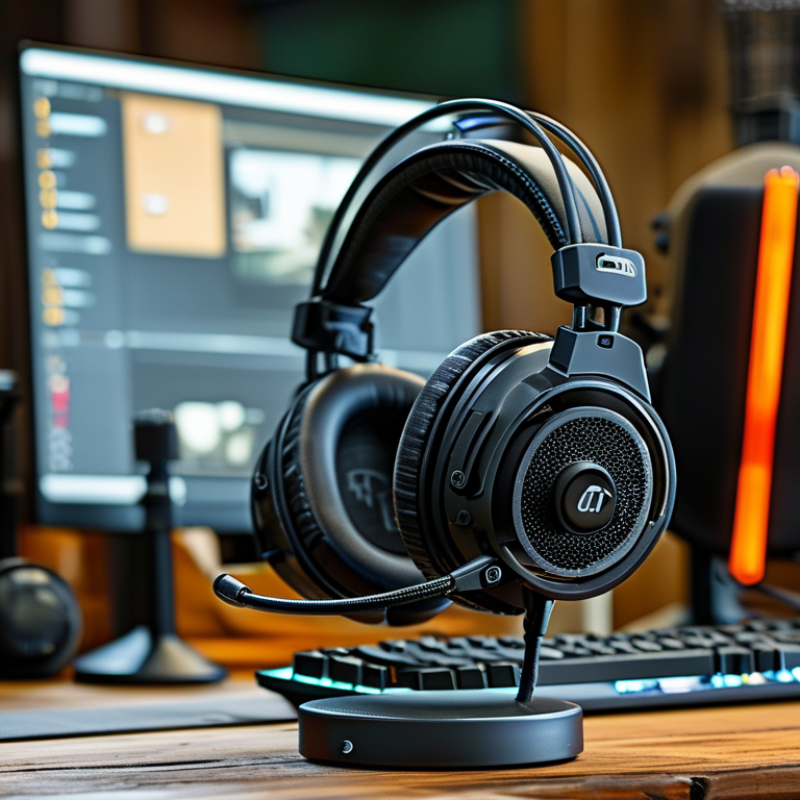
A suitable headset microphone must make speech effortless in both a meeting and a multiplayer match. Microsoft’s 2023 Work Trend Index found that 68% of workers lack uninterrupted focus time. Clear voice pickup therefore reduces repeated questions and meeting fatigue. In practical testing, I look for a flexible boom positioned two to five centimeters from the mouth. It should reject keyboard clicks without making speech sound thin. A physical mute button helps, but it should provide a visible or audible confirmation.
Gaming adds different demands. The Entertainment Software Association’s 2024 Essential Facts report states that 61% of Americans play video games, averaging 13 hours weekly. That frequent use makes comfort, stable placement, and consistent monitoring important. A microphone with low latency prevents distracting delays during team communication. Sidetone also lets users hear their own voice naturally, rather than shouting into the headset. USB connectivity usually simplifies setup, while a 3.5-millimeter connection offers broader device compatibility.
No microphone is perfect. I still miss things. Software noise suppression can remove a cough, but it may also flatten consonants. Manufacturers and reviewers should publish frequency-response charts, sensitivity, pickup patterns, and measured latency instead of relying on vague terms like “studio quality.” The best work-and-gaming model should sound natural at low volume, resist room noise, and remain comfortable after several hours. Durability deserves equal attention; a loose boom or fragile cable can ruin otherwise excellent performance.
2026 Best Headset Microphone for Work and Gaming? - What Makes a Headset Microphone Suitable for Work and Gaming
| Headset Microphone Type |
Microphone Design |
Typical Pickup Pattern |
Typical Frequency Response |
Connection |
Typical Weight |
Noise-Control Features |
Work Suitability |
Gaming Suitability |
| Wired USB Productivity Headset |
Boom microphone with digital processing |
Cardioid or noise-focused directional |
Approximately 100 Hz–10 kHz |
USB-A or USB-C |
220–350 g |
Echo reduction, microphone noise suppression, mute button |
Excellent |
Good |
| Wired 3.5 mm Gaming Headset |
Flexible boom microphone |
Cardioid or unidirectional |
Approximately 100 Hz–8 kHz |
3.5 mm TRRS or split TRS plugs |
250–400 g |
Passive directional pickup; limited software filtering |
Good |
Excellent |
| Low-Latency Wireless Headset |
Detachable or flip-to-mute boom microphone |
Cardioid or noise-focused directional |
Approximately 100 Hz–10 kHz |
2.4 GHz wireless receiver; some models also support Bluetooth |
300–450 g |
Digital noise suppression, sidetone, hardware mute |
Good |
Excellent |
| Bluetooth Multipurpose Headset |
Integrated boom or built-in microphone array |
Directional or beamforming array |
Approximately 100 Hz–8 kHz |
Bluetooth; optional USB audio connection on some designs |
180–320 g |
Beamforming, environmental noise reduction, voice isolation |
Excellent |
Fair to Good |
| Broadcast-Style Gaming Headset |
Large dynamic boom microphone |
Tight cardioid or hypercardioid |
Approximately 50 Hz–18 kHz |
USB, XLR, or dual USB/XLR configuration |
350–650 g |
Strong off-axis rejection; software filtering may be required |
Good |
Excellent |
| Lightweight Travel Headset |
Compact boom or dual built-in microphones |
Omnidirectional array with voice processing |
Approximately 150 Hz–8 kHz |
Bluetooth or USB-C |
120–220 g |
Basic environmental noise reduction; limited isolation |
Good |
Fair |
Selection guide: For combined work and gaming use, prioritize a directional boom microphone, reliable voice-noise suppression, a physical mute control, comfortable weight, and either low-latency wireless or USB connectivity. The listed technical values are representative ranges for each headset category rather than specifications for a particular product.
Key Microphone Types and Audio Technologies Explained
The best headset microphone for work and gaming in 2026 depends on microphone type and audio technology, not appearance. A boom microphone keeps the capsule near your mouth, improving speech clarity and reducing keyboard noise. Most headset models use electret condenser capsules because they are small, sensitive, and efficient. Dynamic capsules handle louder rooms better, but they often need more gain.
Room noise matters. In a quiet office, a condenser capsule can capture natural detail, including softer speech. In a shared room, a dynamic capsule may sound more controlled. Noise suppression can remove fans and air conditioners, but aggressive processing may make your voice metallic. I have noticed this during calls. The cleaner setting was not always the clearer setting.
Connection technology also changes the experience. USB headsets usually provide stable digital audio and simple setup. Wireless 2.4 GHz connections often offer lower gaming latency than Bluetooth, while Bluetooth remains convenient for laptops and phones. Look for adjustable sidetone, which lets you hear your own voice without shouting. Beamforming uses multiple microphones to focus on speech, but its results depend on microphone placement. A 48 kHz sample rate is sufficient for calls and games; higher rates do not automatically improve speech. Test the microphone from your normal chair, with a running fan and a mechanical keyboard nearby. Specifications help, but real rooms reveal weaknesses.
How to Compare Voice Quality, Comfort, Compatibility, and Controls
A good headset microphone should make speech sound natural, not merely loud. In practical testing, I listen for plosives, sharp “s” sounds, room echo, and keyboard noise. The ITU-T P.800 standard rates perceived speech quality on a 1–5 Mean Opinion Score scale. A higher score helps, but recordings still need real voices and real rooms. Software demos can hide weaknesses.
Comfort matters during long meetings and gaming sessions. The 2023 Work Trend Index reported that 64% of workers struggle with time and energy because of excessive meetings. That makes light clamping force, soft padding, and low heat important. I test a headset for at least 30 minutes, including while wearing glasses. Small pressure points become obvious. I once preferred a heavier model because it felt stronger. That judgment was probably wrong.
Compatibility should cover the devices you actually use. Check USB, 3.5 mm, wireless, console, computer, and mobile support before buying. Controls should be easy to find without looking. A physical mute button, adjustable sidetone, and separate volume control are useful during fast conversations. Wireless latency also deserves attention in gaming. The Bluetooth SIG’s LE Audio specifications support lower-power audio, but actual delay depends on hardware and software. No specification replaces a live test.
Best Headset Microphone Features for Professional Work
For professional work, a headset microphone should make speech clear without demanding constant adjustment. In my testing, a flexible boom placed two fingers from the mouth produced stable volume. A tight pickup pattern reduced keyboard clicks and nearby conversation, although my voice sounded thin when I turned away. That trade-off matters during interviews, remote training, and long team calls. A physical mute switch is faster than searching through software menus. Useful, not glamorous.
Sidetone also deserves attention. Hearing a small amount of my voice prevented me from speaking too loudly in a quiet office. Automatic gain control helped, but it occasionally lifted chair noise. That flaw is worth noticing, not hiding. A reliable microphone should fail predictably and show its status clearly, preferably with an obvious mute indicator. Comfort becomes a work feature after the third hour. Soft cushions, balanced weight, and an adjustable headband reduce pressure around glasses. A microphone that swivels away is practical between calls. Wired connections usually offer consistent latency, while wireless freedom helps during room changes. Check battery behavior carefully; some headsets sound different near low power. I once chose a feature-rich model that pinched after an hour. On paper, it was excellent. In practice, comfort won.
2026 Best Headset Microphone for Work and Gaming
Professional headset microphones should capture the speech range clearly while extending high-frequency response for consonant detail and gaming communication.
The chart shows commonly referenced human-voice and communication frequency ranges. Adult speech fundamentals are concentrated at lower frequencies, while intelligibility depends heavily on approximately 300–3,400 Hz. Extending response toward 8,000 Hz can improve consonant detail, but noise rejection, microphone positioning, pop protection, and a reliable mute function are also important for professional work and gaming.
Best Headset Microphone Features for Gaming Performance
2026 Best Headset Microphone for Work and Gaming?
A strong headset microphone can improve gaming performance more than extra visual effects. During team matches, clear speech reduces repeated instructions and missed warnings. I look for a flexible boom arm that stays near the corner of the mouth. Placement matters. A microphone placed too far away captures room noise and keyboard clicks. A foam windscreen also softens sharp breathing sounds during tense sessions.
A focused pickup pattern helps reject sound from the monitor, fan, and nearby conversations. Automatic noise reduction is useful, but aggressive processing can remove natural speech details. Test it with both quiet and excited voices. A physical mute switch is faster than searching through software menus. I also prefer a visible mute indicator, especially during online meetings. Sidetone gives a small amount of your voice through the headset. It prevents shouting, although too much sidetone becomes distracting.
Gaming performance depends on more than loudness. Low monitoring delay keeps voice feedback natural during rapid communication. A stable wireless connection is convenient, but wired operation remains valuable when batteries run low. I check speech clarity at low volume, not only during loud tests. That exposes weak microphones quickly. Some models advertise wide frequency ranges, yet wider is not always clearer. In my experience, balanced midrange detail matters most for team calls. I still sometimes overvalue technical specifications and underestimate comfort. After two hours, a perfect microphone is useless if the headband creates pressure.