



Top 10 Best Business Headsets for Work in 2026

Choosing a business headset in 2026 is less about chasing the newest feature and more about making ordinary work feel easier. Think of a video call beside a humming air conditioner, a quick walk to another room, or a full afternoon of back-to-back meetings. Clear speech, a secure fit, dependable connectivity, and simple controls matter in those moments. Small details count.

Collaboration-technology analyst David Danto has focused on the human experience of workplace communication. A practical paraphrase of that emphasis—not a verified direct quotation—is: “Technology works best when people can focus on the conversation, not the equipment.” That is a useful lens for comparing headsets. A strong microphone should keep your voice intelligible without making you sound distant. Comfortable ear cushions should still feel comfortable after lunch. Battery life and device switching deserve real scrutiny, too.

This Top 10 guide looks at business headsets for different work styles, from open offices to remote calls and frequent travel. It considers call clarity, comfort, noise handling, connectivity, controls, and value, while recognizing that no single model fits everyone. Specs can look impressive on a product page. Real use can be messier. A headset may excel in a quiet room yet struggle beside a busy café. Use these comparisons as a starting point, then weigh them against your own workspace, devices, and daily routine.

Top 10 Best Business Headsets for Work in 2026

What Makes a Headset Suitable for Business Use in 2026

A business headset in 2026 should make everyday work clearer, not more complicated. During a video call, a useful microphone keeps speech understandable when a keyboard clicks nearby or a colleague speaks across the room. Look for straightforward mute controls and stable wireless or wired connectivity. Compatibility matters too: check that the headset works with your computer and meeting software before relying on it. Small details count.

Tips: Wear it for a realistic stretch, not just a quick fitting. Check whether the ear cushions feel warm after an hour, and test the mute button without looking. Comfort is hard to judge from a specification sheet.

For long workdays, prioritize a secure but gentle fit, battery life that matches your schedule, and controls you can reach by touch. Lightweight designs may feel easier during back-to-back calls, though they are not automatically comfortable for everyone. A headset can offer impressive sound and still disappoint if its microphone picks up room noise. No single feature guarantees a good fit for every desk or working style. It is worth questioning flashy specifications and judging how the device performs in your actual workspace.

Key Features for Evaluating Headsets for Work

A work headset should make speech clear without demanding constant adjustment. Start with fit: wear it for a full meeting, not just a quick store demo. Notice pressure above the ears, heat around the cushions, and whether glasses create a sore spot. Small discomfort grows over a long call. A lighter model is not automatically better if its headband slips when you lean toward a screen.

Check the microphone in realistic conditions. Record a short call near a keyboard or desk fan, then listen for clipped words and distracting noise. Noise reduction can help, but overly aggressive processing may make voices sound thin. Test mute controls by touch; fumbling for a tiny button during a meeting is a real drawback. Also verify connection stability at your usual desk distance, and check whether the headset works with your computer and calling software. Battery life claims vary with volume and use, so leave room for a safety margin. A wired fallback is useful. Not glamorous, but practical. One easy-to-miss detail: a busy indicator may not sync with every work app, so confirm how it behaves before relying on it.

Top 10 Best Business Headsets for Work in 2026 — Key Features for Evaluating Headsets for Work
Rank Evaluation Feature Work-Ready Benchmark Why It Matters Best Fit
1 Microphone noise handling Voice remains clear during speech in a typical office; test with background conversation and keyboard noise. A strong microphone helps colleagues understand you without repeatedly asking you to speak up. Open offices and frequent calls
2 Wearing comfort Adjustable fit, even clamping pressure, and padding that remains comfortable during a one-hour test call. Comfort affects whether a headset is practical for long meetings and full workdays. All-day or back-to-back meeting schedules
3 Connection compatibility Clearly states support for the devices and operating systems used at work; wired USB models should specify their connector type. Compatibility reduces setup problems and helps ensure reliable use with computers and phones. Mixed-device work setups
4 Wireless range and stability Maintains a dependable connection throughout the user’s actual workspace; verify range in the intended room rather than relying on an idealized maximum. Walls, interference, and device placement can reduce real-world wireless performance. Workers who move around during calls
5 Battery life Compare the manufacturer’s stated talk time with expected daily call hours; check whether charging can be done while in use. Talk time is more relevant to call-heavy work than standby time alone. Mobile and wireless users
6 Listening noise cancellation Evaluate how effectively the headset reduces steady background sounds, such as ventilation or transport noise; do not treat this as microphone noise reduction. Listening-side noise cancellation can make speech and meeting audio easier to follow. Noisy offices and commuting
7 Call and device controls Provides accessible mute and volume controls; check whether call-answer controls work with the organization’s meeting software. Easy-to-reach controls help prevent interruptions and accidental open microphones. Frequent video meetings
8 Wired fallback For wireless models, check whether a wired mode is available and whether it supports audio and microphone use without relying on battery power. A suitable fallback can keep calls possible when the battery is depleted or wireless connections are restricted. Travel and high-reliability work
9 Durability and replaceable parts Inspect the headband, hinges, cable, and ear cushions; check availability of replacement cushions and the warranty terms. Repairability and warranty coverage affect the useful life and total cost of ownership. Daily use and shared equipment programs
10 Security and fleet management For managed workplaces, confirm the connection security details, available firmware updates, and whether administrators can manage settings centrally. Management and update options matter when devices must meet organizational IT policies. Enterprise and regulated environments

Ten Leading Business Headsets and Their Standout Features

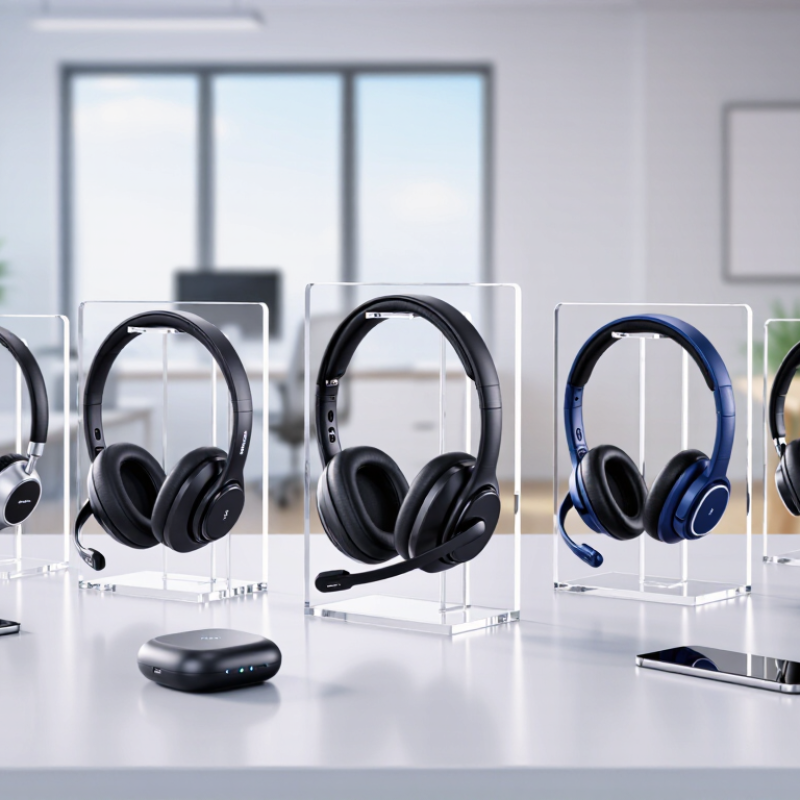
Ten leading business headsets in 2026 are easier to compare by standout feature. A wired USB-C stereo model offers dependable plug-and-play use; a lightweight mono headset leaves one ear open. Dual-ear noise cancellation paired with a close boom microphone helps manage office hum and prioritize speech. A DECT headset suits fixed call stations, while Bluetooth multipoint switches between laptop and phone. Fold-flat cups help commuters; open-ear designs keep nearby conversation audible. Convertible fits offer flexibility, and replaceable batteries reduce charging pauses. Physical mute controls make quick call adjustments easier.

The Microsoft 2023 Work Trend Index reported that employees were interrupted about every two minutes during core work hours, or roughly 275 times daily, by meetings, email, and notifications. That makes stable connections, accessible mute controls, and clear voice pickup practical priorities. Not every worker needs every feature.

Comfort needs a real test. Wear the headset through a full meeting, then listen to a recorded call for clipped words and background noise. Active noise cancellation cannot erase nearby speech. No headset fixes a noisy room. A feature-rich model may still feel heavy after several hours, and that trade-off is easy to overlook.

Top 10 Best Business Headsets for Work in 2026

Ten leading business headset features and their relative importance for everyday work.

Scores are editorial assessments on a 1–10 scale, not measured product ratings or a survey. Actual feature availability and performance vary by headset model.

How the Top Headsets Compare in Comfort, Audio, and Connectivity

Top 10 Best Business Headsets for Work in 2026

Choosing a work headset means balancing comfort, audio, and reliable connections—not chasing one impressive specification. During long calls, soft ear cushions and gentle headband pressure can matter more than a few grams of weight. A tight fit may improve stability, but it can leave warm ears by mid-afternoon. Fit matters. Try the headset for at least twenty minutes before deciding. For audio, listen for clear speech at moderate volume and check whether background keyboard noise reaches the other person. Strong noise reduction can help in a shared office, though it may also make your voice sound less natural.

Connectivity shapes everyday convenience. A wired connection avoids charging, while wireless models allow movement between a desk and meeting room. Bluetooth multipoint can connect a headset to both a computer and phone, but switching behavior varies. Check the supported connection type and test calls on your actual devices; specifications alone cannot guarantee a smooth handoff. Microphone monitoring and simple mute controls are useful, especially when meetings come back-to-back. Small controls can be fiddly. That detail is easy to overlook.

Tips: Compare comfort after a full work session, not a quick try-on. Record a short voice memo in a noisy room to judge microphone clarity. Test the mute button and device switching before relying on them for an important call. No single headset suits every desk, and even a well-reviewed model may feel wrong after several hours.

Which Business Headset Fits Different Work Environments?

A business headset should match the place where you work, not just look good on a desk. In an open office, a boom microphone can keep your voice clear while nearby conversations compete for attention. Noise reduction may help, but it cannot erase every sudden laugh or keyboard tap. For frequent video calls, check that voices sound natural and controls are easy to find without looking down. Comfort matters over a long shift. Fit matters more.

Tips: Test the headset in your usual workspace. Walk a few steps during a call, then listen for dropouts. Check whether the mute indicator is visible. At home, confirm that its connection works with your computer and phone.

For commuting or moving between meeting rooms, a lightweight wireless model offers more freedom, but battery life and connection stability matter. A wired option avoids charging and may suit a fixed workstation better. In a shared room, a microphone that focuses on your voice can reduce distractions for callers. Still, no headset fixes poor room acoustics completely. A quiet room on Tuesday can mislead you; test during your busiest hour, too. I would not choose by advertised range alone. Walls and other wireless devices can change real-world performance.

Our offices

Axtel Poland (HQ)
Mokotów Box 16 Woloska St
02-675 Warsaw Poland

tel. (+48 22) 490 96 00
fax: (+48 22) 540 15 22
sale@officeveigl.com

Axtel Middle East & Asia
G-026, THUB 2
Dubai Silicon Oasis
Dubai United Arab Emirates

tel. +971 50 5540 902
sale@officeveigl.com

Axtel India Private Limited
Unit # S-2, Srinivasa Apartments,
16, 1st Cross, Doctors Layout, Kasturinagar,
Bengaluru, Karnataka, India

tel. +91 96865 46376
sale@officeveigl.com

Axtel Benelux
Microlab Kastanjelaan 400
5616 LZ Eindhoven The Netherlands

+31 629 796 453
sale@officeveigl.com